 CuffScan
Any cuff becomes a smart cuff.
No Bluetooth, no pairing, no extra app for your monitor. Use the basic cuff you already have, snap a photo of its display, and CuffScan logs the numbers and charts your trend.
For iPhone and iPad. The photo is read on your device. Nothing is uploaded.

See it in action
How it works
1. Take a photo
Point the camera at your monitor, or pick a photo you already took. The date comes from when the photo was taken, not the monitor’s clock.
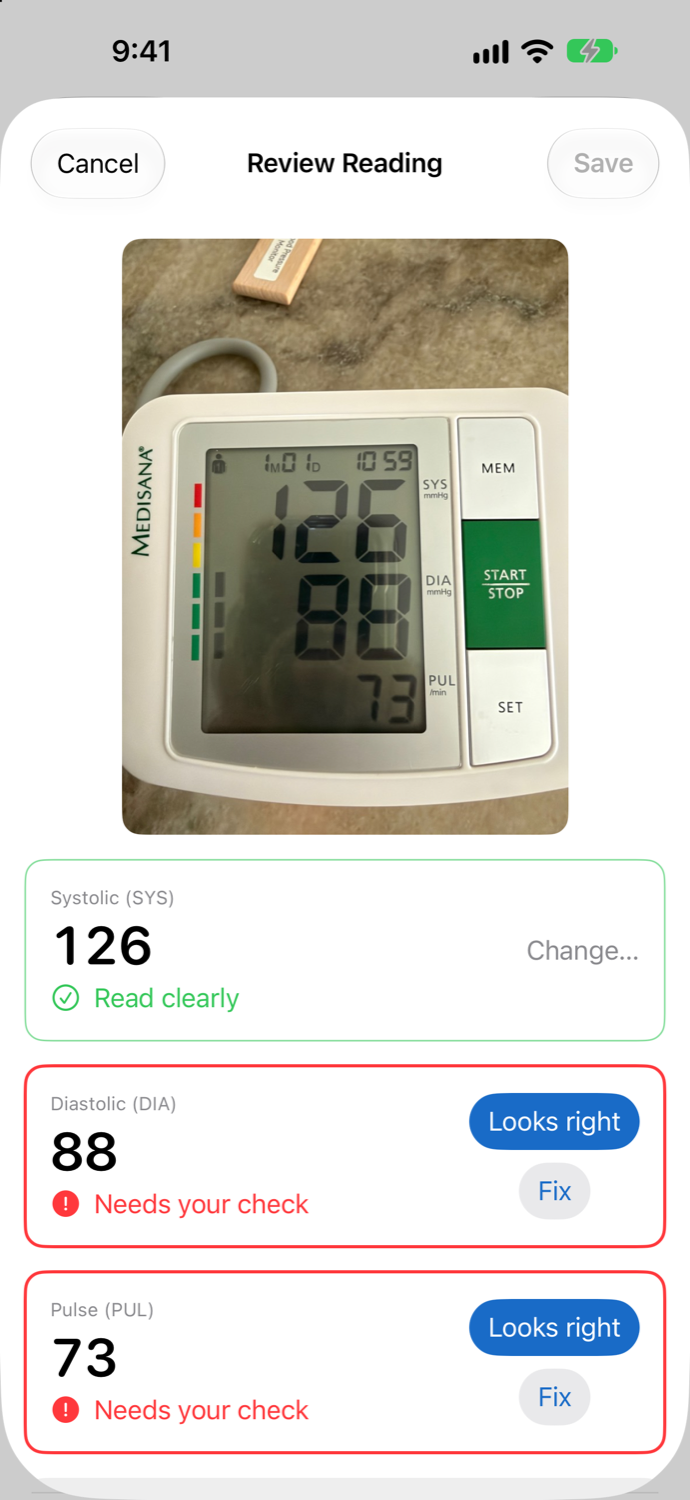
2. Check what it read
Values it is sure about show in green. Anything unclear is red and must be confirmed or fixed before you can save, so a misread never slips into your log.
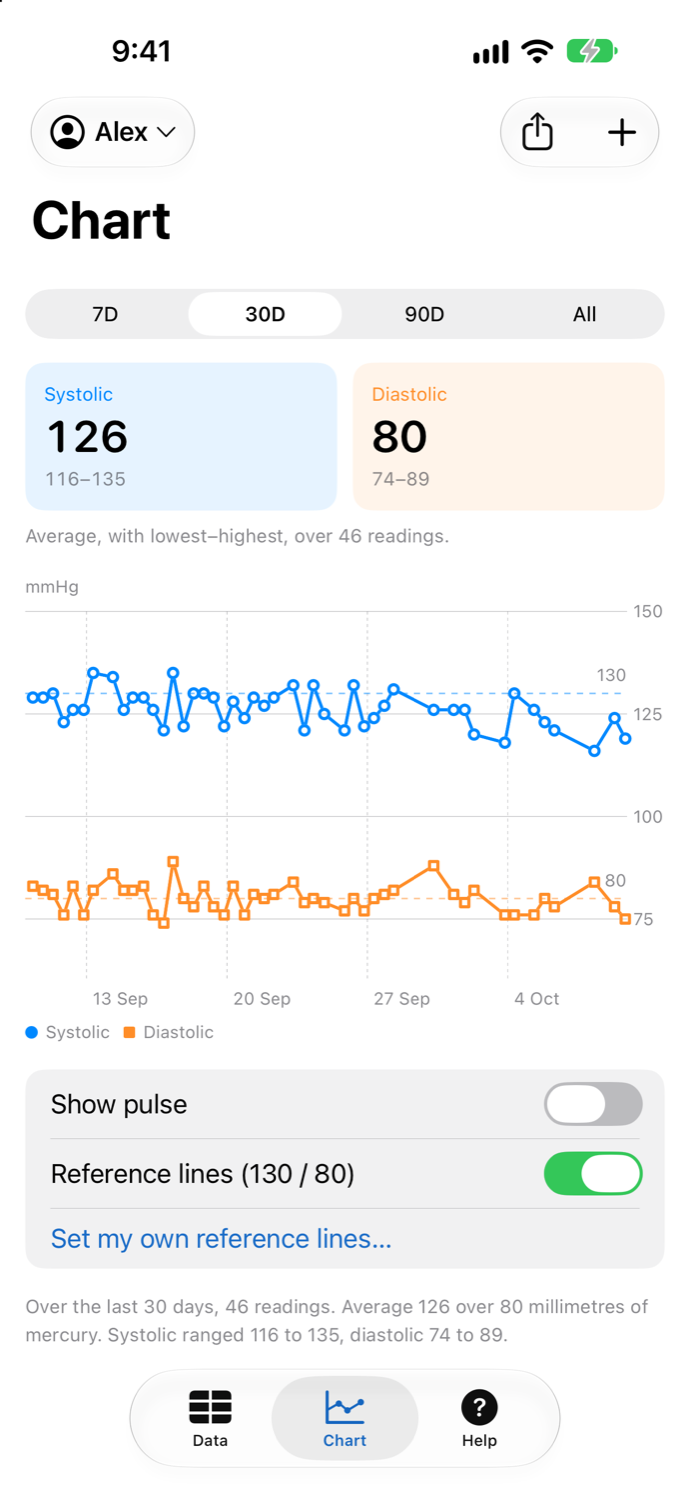
3. See your trend
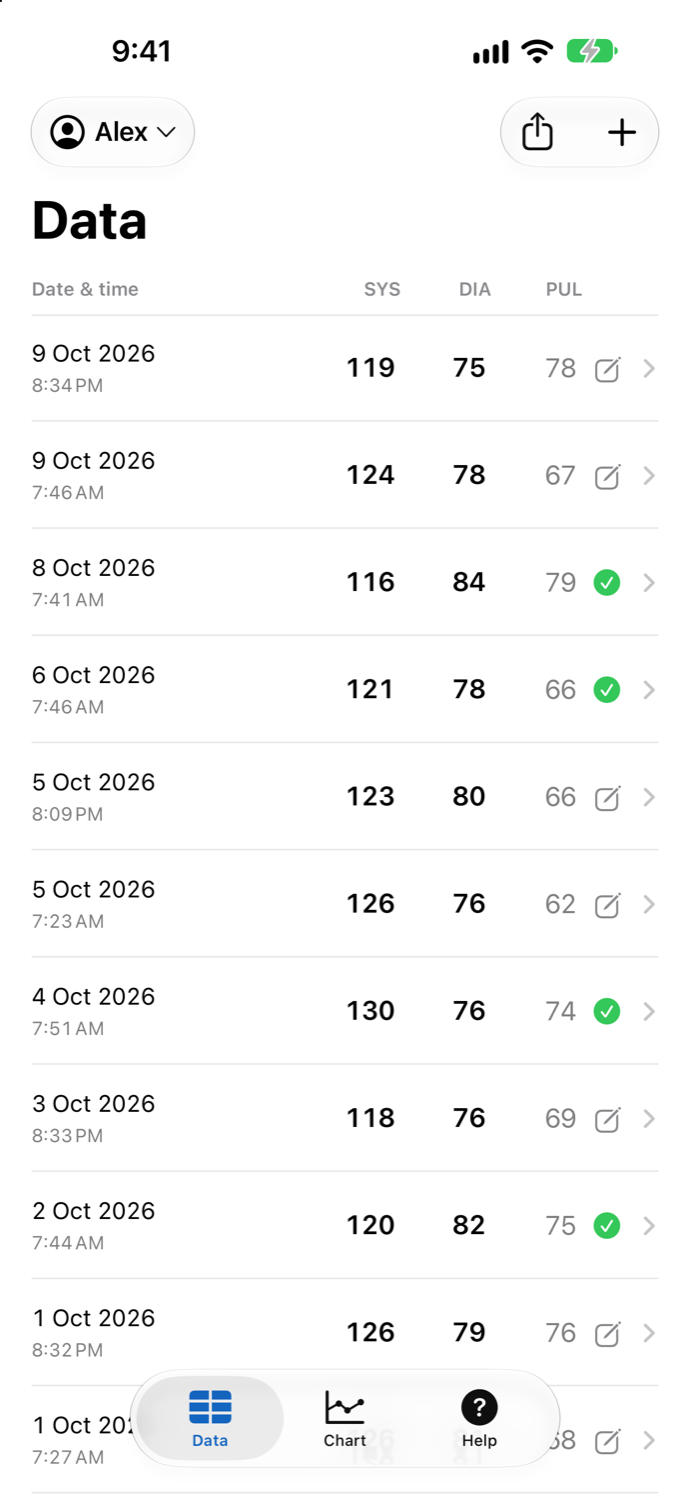
A table and a chart of systolic, diastolic and pulse over 7 days, 30 days, 90 days or all time.
Built to be private
Read on your device
Photos are read with Apple’s on-device intelligence, Vision and a seven-segment decoder. No server, no account, no ads, no tracking.
You choose what leaves
Export a CSV, save a backup, sync with your own private iCloud, or send to Apple Health. Each is off until you turn it on. Read the privacy policy.
Works for the whole family
Separate profiles keep each person’s readings apart, with their own chart and export.
And
Reminders & widget
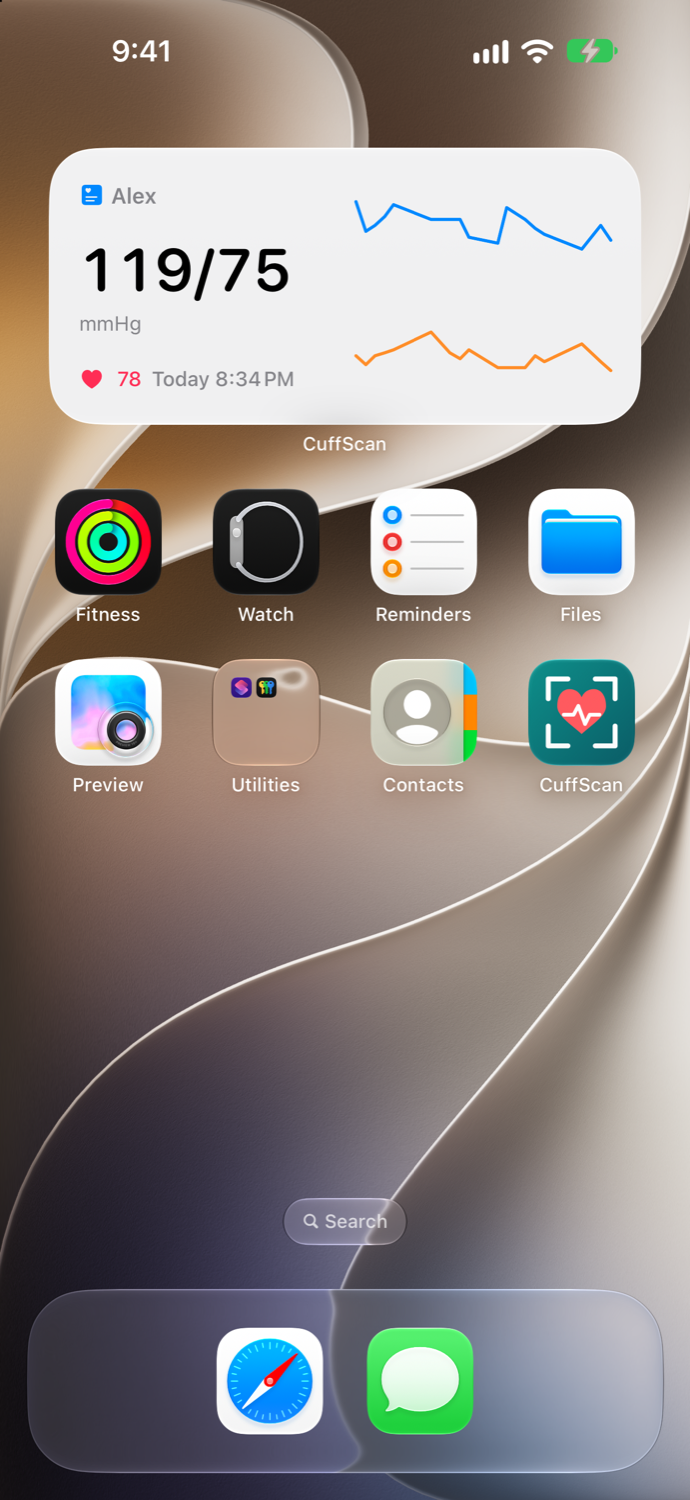
Gentle reminders that never mention your readings, and a home-screen widget with your latest reading and trend.
Back up & restore
One file with every profile, reading and photo. Restoring only adds, so it is safe to repeat.
mmHg or kPa
Show and enter readings in either unit. Everything is stored in mmHg.